For many English teachers, the projector has become as common as whiteboards and textbooks. It’s a powerful gateway to the wider world of English, but is its glow always the right light for learning? Let’s unpack the advantages and potential pitfalls of making a projector your co-teacher.
The Bright Side: Powerful Pros of Projection
1. Unleashing Multimedia & Authentic Language
This is the projector’s superpower. Suddenly, you’re not just talking about a news story—you’re showing a BBC clip. You’re not just reading dialogue; you’re analyzing body language and intonation in a film scene. Music videos, vlogs, news reports, and commercials flood the classroom with authentic, contextual English. Visual and auditory learners get a major boost, and abstract concepts become concrete.
2. Boosting Engagement and Motivation
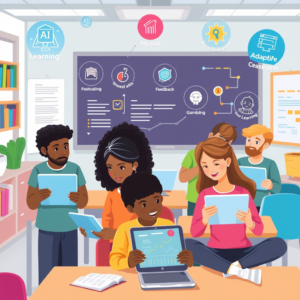
Let’s be honest: a dynamic, visual break from the textbook can re-energize a tired class. A short, relevant video can serve as a perfect “hook” to introduce a topic. Gamifying lessons with interactive quizzes (think Kahoot! or Quizizz) projected for all to see turns review into a thrilling competition. It caters to the digital-native generation on their turf.
3. Facilitating Clear, Visual Explanations
Grammar doesn’t have to live in dense paragraphs. Use your projector to animate a timeline for verb tenses, create color-coded sentence diagrams, or mind-map new vocabulary. Sharing a well-designed PowerPoint or Canva presentation ensures every student sees the same clear model, eliminating the “I can’t read your board handwriting” issue.
4. Showcasing Student Work Instantly
Turn your students into creators and critics. Project a student’s essay (anonymously, with permission) for a peer-editing session. Display digital posters or presentations they’ve made. This validates their effort, builds classroom community, and allows for immediate, collective feedback.
5. A Window to the World
Virtual field trips are just a click away. Take your class on a street-view tour of London, explore the settings of a novel, or host a video-call guest speaker from an English-speaking country. The projector dissolves classroom walls, offering invaluable cultural immersion.
The Shadows: Important Cons to Consider
1. The Technical Tango
The dreaded “spinning wheel of death.” A missing dongle. A burnt-out bulb. Technology fails, and when your entire lesson hinges on it, you’re left scrambling. Relying too heavily on the projector means your teaching is only as reliable as your school’s IT support and electrical grid.
2. The “Sage on the Stage” Trap
It’s easy to slip into passive, lecture-style teaching when the projector is on. Students can become spectators rather than participants, staring at a screen instead of interacting with each other. The dynamic, communicative heart of language learning can be lost in the dark.
3. Sensory Overload and Distraction
A constantly flashing, bright screen can be overstimulating. It can also make note-taking difficult (“It went by too fast!”). More concerning, an internet-connected projector is a portal to infinite distraction—a stray notification or an unrelated YouTube suggestion can derail focus in seconds.
4. The Practical Inconveniences
To project effectively, you often need a darkened room, which can make students drowsy and hinder eye contact and reading physical materials. The setup and shutdown time also eat into precious class minutes. Not to mention the cost of the hardware and software for underfunded schools.
5. Creativity Crutch
Sometimes, the quick fix of a YouTube video can replace a more thoughtful, teacher-designed activity that targets your students’ specific needs. The projector’s polish shouldn’t replace pedagogical purpose.
Finding the Balance: Best Practices
So, should you use it? Absolutely—but strategically.
- Be the Driver, Not the Passenger: Use the projector as a tool, not the teacher. You control the pause button for comprehension questions, the rewind for clarification.
- The 15-Minute Rule: Avoid marathon screen sessions. Use short, focused clips (2-5 minutes) as springboards for discussion, role-play, or writing.
- Always Have a Plan B: Have a non-tech version of your activity ready to go. Your ability to teach should never be held hostage by a missing HDMI cable.
- Lights On, Minds On: Keep some ambient light on whenever possible to maintain energy and connection.
- Mix It Up: Follow screen time with “people time.” After a video interview, have students conduct their own. After a grammar presentation, move to small-group practice.
The Verdict
A video projector is not an automatic upgrade to your teaching—it’s an amplifier. It will magnify both engaging, well-planned lessons and poor, passive ones. Used with intention and balance, it’s an unparalleled resource for bringing the living, breathing English language into your classroom. Used as a crutch, it can dim the very human interaction that language learning thrives on.